
Month: October 2026

How to reflect on your week.

Stay on Track With a Simple 10-minute Weekly Review

I used to think that learning how to reflect on your week meant buying a $40 linen-bound journal and sitting in a silent room with a matcha latte, waiting for some profound epiphany to hit me. It felt like another performative chore on an already overflowing to-do list, and frankly, it was exhausting. Real life doesn’t happen in a vacuum of aesthetic stillness; it happens in the messy, loud gaps between client calls and trying to figure out why the kitchen sink is suddenly leaking again. I realized that if my reflection process felt like more work, I was doing it wrong.

I’m not here to sell you on a lifestyle aesthetic or a complicated spiritual ritual. Instead, I want to show you how to build a functional feedback loop that actually works with your chaotic schedule. I’m going to walk you through the exact, unpolished steps I use to audit my time, my energy, and my wins without the gatekeeping. This is about stripping away the fluff and giving you a straightforward system to stop reacting to your life and start actually managing it.

Table of Contents

Stop Running on Autopilot How to Reflect on Your Week

Stop Running on Autopilot How to Reflect on Your Week

Most of us spend Monday through Friday just reacting. We react to emails, react to deadlines, and react to whatever random crisis pops up in our notifications. By the time Friday night hits, we’re exhausted, but we can’t actually pinpoint why we feel so drained. If you don’t intentionally pause, you’re basically just a passenger in your own life. I started treating my Sunday evenings as a productivity audit rather than just a countdown to Monday morning, and it changed everything. It’s not about judging yourself for what didn’t get done; it’s about looking at the data of your own life so you can stop making the same mistakes every seven days.

To make this actually work, you need a repeatable system—not just a vague idea of “thinking about things.” I like to sit down with a coffee and use a few specific weekly review prompts to strip away the noise. I ask myself: What actually moved the needle this week? and Where did I leak time? This isn’t about perfectionism; it’s about building sustainable systems that prevent that mid-week burnout from becoming your permanent personality.

The No Bs Productivity Audit to Stop the Chaos

The No Bs Productivity Audit to Stop the Chaos.

Look, a productivity audit isn’t about punishing yourself for every minute you spent scrolling through TikTok instead of finishing that client deck. It’s actually much simpler than that. I like to treat it like a post-game analysis. I sit down with my coffee, open a fresh page in my notebook, and look at my calendar from the last seven days. I’m looking for the leaks—those tiny, invisible time-sucks that make me feel like I’ve been working for twelve hours straight without actually accomplishing anything.

To make this work without it feeling like a chore, I use a specific set of weekly review prompts to cut through the noise. I ask myself: What actually moved the needle? and Where did I lose my momentum? This isn’t some vague mindfulness journaling technique where you just write about your feelings; it’s about data. If I see that I spent three hours on administrative tasks that could have been automated, that’s a system failure, not a personal one. Once you identify those patterns, you can stop reacting to the chaos and start building actual personal growth habits that stick.

Unfiltered Weekly Review Prompts for Real Clarity

Unfiltered Weekly Review Prompts for Real Clarity

Look, I’m not interested in those aesthetic, “soft girl” journaling prompts that just ask you how you felt about the weather. If you want actual results, your weekly review prompts need to be a little more surgical. You need to ask the questions that actually sting, because that’s where the friction is hiding. Instead of asking “What went well?”, try asking, “Where did I waste the most time this week, and why did I let it happen?” or “What is one thing I’m currently overcomplicating that I could actually just simplify?”

This isn’t about performing some high-level spiritual ritual; it’s about using intentional reflection to spot the patterns you’re usually too busy to notice. If you find yourself constantly hitting the same wall on Wednesday afternoons, stop ignoring it. Use these moments as personal growth habits that actually serve you. I like to keep a running list of these questions in a simple Notion page so I don’t have to reinvent the wheel every Sunday. The goal isn’t to write a novel—it’s to find the truth so you can stop making the same mistakes next week.

Building Personal Growth Habits Without the Perfectionism

The biggest mistake I see people make when they start using weekly review prompts is treating their reflection like a performance review from a boss they hate. You sit down, look at everything you didn’t finish, and suddenly you’re spiraling into this “all or nothing” mindset. If you missed your gym sessions or didn’t hit your word count, you feel like the whole system failed. But here’s the thing: growth isn’t a straight line, and it definitely isn’t about being perfect. It’s just about noticing the patterns so you can make better calls next Tuesday.

Instead of aiming for a flawless week, focus on building personal growth habits that actually fit into your real, messy life. If you try to overhaul your entire existence in one Sunday session, you’re going to burn out by Wednesday. I like to keep it low-stakes. Use your reflection time to ask, “What was one thing that actually worked?” rather than just cataloging your failures. When you stop obsessing over the gap between where you are and where you “should” be, you actually start making progress that sticks.

Using Goal Setting Reflection to Master Your Next Seven Days

Most people treat goal setting like a New Year’s resolution—a big, dramatic burst of energy that inevitably fizzles out by Tuesday. But if you want to actually move the needle, you have to treat your goals like a living document. Instead of just listing big, scary ambitions, use your goal setting reflection to bridge the gap between “what I want” and “what I’m actually doing.” Look at your wins from the last seven days and ask yourself if they actually aligned with your bigger picture, or if you just spent the week being “busy” without being productive.

The trick is to keep the upcoming week’s targets bite-sized. If your goal is to launch a new freelance project, don’t just write “work on project.” Break it down into three specific, non-negotiable tasks. This turns a vague wish into a tactical roadmap. By integrating these small, actionable steps into your Sunday reset, you stop reacting to whatever chaos lands in your inbox and start actually driving your own schedule. It’s about moving from intention to execution without the burnout.

5 Ways to Make Your Weekly Review Actually Stick

  • Keep your tools low-friction. If your “system” requires opening five different apps and a color-coded spreadsheet, you aren’t going to do it on a tired Sunday night. Stick to a physical notebook or a single, dead-simple notes app. The goal is to reduce the barrier to entry, not create a new chore.
  • Don’t just list what you did; analyze why it worked. It’s easy to write “finished three client projects,” but that doesn’t tell you anything. Instead, note that “I finished projects because I blocked out 9 AM to 11 AM for deep work.” That’s the data you actually need to repeat the success.
  • Schedule it like a non-negotiable meeting. If you wait until you “have time” to reflect, you’ll just end up doomscrolling instead. Put a 20-minute block on your digital calendar for Sunday afternoon. Treat it with the same respect you’d give a client call.
  • Be brutally honest about your energy drains. Part of reflecting is identifying the things that sucked the life out of you—whether it was a specific recurring meeting or just realizing you haven’t eaten a real meal in three days. You can’t fix a leak if you’re pretending the floor isn’t wet.
  • End with one “micro-win” for next week. Don’t try to overhaul your entire existence in seven days. Pick one tiny, manageable adjustment based on your review—like “prep breakfast on Monday” or “close all tabs before bed”—and make that your singular focus.

The TL;DR of Your Weekly Reset

Stop treating reflection like a chore and start seeing it as a way to stop the bleeding; it’s about fixing your systems, not judging your character.

Ditch the “all-or-nothing” mindset—if you only have ten minutes, do a quick audit of your wins and losses rather than skipping the week entirely.

Use your insights to actually change your Monday morning; a reflection is useless if it doesn’t result in a tangible tweak to your calendar or your habits.

The Bottom Line

Look, I know sitting down with a notebook and auditing your own life feels a little heavy, especially when you’d rather just scroll through TikTok and forget the week ever happened. But between the productivity audits, the unfiltered prompts, and the goal-setting, the point isn’t to become a productivity robot. It’s about building a sustainable rhythm so you aren’t constantly playing catch-up. We’ve covered how to spot the friction points, how to strip away the perfectionism, and how to actually plan your next seven days with intention. If you do even half of this, you’re already ahead of the game because you’re finally taking the wheel instead of just letting the week happen to you.

At the end of the day, this isn’t about achieving some flawless, aesthetic version of life that you see on Pinterest. Real life is messy, and some weeks are just going to be absolute chaos regardless of how many systems you have in place. The goal is simply to have a way to reset when things go sideways. Don’t let the fear of doing it “wrong” stop you from doing it at all. Grab your multi-tool, grab your notebook, and just start. You don’t need a perfect system to start living a more intentional life—you just need to show up for yourself once a week.

Frequently Asked Questions

What if I feel like I didn't actually accomplish anything worth reflecting on this week?

Look, I’ve been there. You look back at your week and it feels like a total wash. But here’s the thing: reflection isn’t just a trophy ceremony for big wins. If you survived a brutal week of burnout, managed to keep your inbox from exploding, or even just remembered to water your plants, that counts. Sometimes the “win” is simply maintaining your systems when everything felt heavy. Don’t skip the review just because you didn’t win an award.

How much time should I actually be spending on this without it just becoming another chore on my to-do list?

Look, if this starts feeling like a heavy lifting session, you’re doing it wrong. Aim for 20 to 30 minutes max. I usually grab a coffee, sit down on Sunday afternoon, and just flow through my prompts. If you find yourself spiraling into a two-hour deep dive of self-criticism, stop. The goal is a quick system reset, not a therapy session. Keep it light, keep it fast, and keep it functional.

Do I need a fancy digital setup for this, or is a messy notebook actually okay?

Honestly? A messy notebook is more than okay—it’s actually better. I’ve tried the aesthetic Notion setups with all the custom icons and widgets, but I always end up spending more time decorating than actually thinking. If a system feels like a chore, you won’t do it. Grab a cheap legal pad or a beat-up journal. As long as you can read your own handwriting, the friction is gone. Keep it low-tech so you can keep it real.

Tips on how to handle a performance review.

How to Walk Into Your Performance Review Prepared

I used to think that preparing for a performance review meant spending hours crafting some hyper-polished, corporate-speak version of my life that didn’t actually exist. I’d sit there with my heart racing, convinced that if I didn’t sound like a LinkedIn thought leader, I was somehow failing at adulthood. But honestly? That kind of performative nonsense is exactly why most of us dread these meetings. Learning how to handle a performance review shouldn’t feel like you’re auditioning for a role you didn’t apply for; it should feel like a strategic calibration of your actual work.

I’m not here to give you a list of buzzwords to sprinkle over your achievements to make them sound more “impactful.” Instead, I want to show you how to build a simple, repeatable system to track your wins so you’re never caught off guard again. We’re going to strip away the anxiety and focus on the unpolished, practical steps you need to walk into that room feeling calm, prepared, and totally in control of the narrative.

Table of Contents

Stop Treating Your Review Like a Crisis How to Handle a Performance Review

Stop Treating Your Review Like a Crisis How to Handle a Performance Review

The reason most of us dread these meetings is that we treat them like a surprise exam we didn’t study for. But if you treat the meeting as a conversation rather than a judgment day, the energy shifts completely. The best way to lower the stakes is to start preparing for your annual appraisal at least two weeks out. Don’t just wing it; pull up your calendar, look at your sent emails, and remind yourself of the fires you actually put out. Having a literal list of wins turns a defensive stance into a proactive one.

When the conversation actually happens, the goal isn’t to be perfect—it’s to be clear. If things get heavy, focus on managing difficult feedback by treating it as data rather than a personal attack. If they say you missed a deadline, don’t spiral; instead, use it as an opening for setting professional development goals that actually address the bottleneck. It’s much easier to navigate the room when you’re coming with a plan to improve rather than just a list of excuses.

The Pre Game Blueprint Smart Self Assessment Strategies That Work

The Pre Game Blueprint Smart Self Assessment Strategies That Work

The biggest mistake I see people make is walking into that room with nothing but a vague memory of what they did six months ago. You can’t rely on your brain to recall every win when you’re under pressure. Instead, you need a system. Start by auditing your own year; pull up your sent emails, your completed project folders, or even your old Slack messages. When you’re preparing for annual appraisal season, you want a literal list of receipts. I like to categorize these into “wins,” “learning curves,” and “future focus.” This keeps you from feeling like you’re just bragging and turns it into a factual data dump.

Once you have your list, use it to bridge the gap between where you are and where you want to be. This is the perfect time for setting professional development goals that actually feel realistic rather than just checking a box for HR. Don’t just say you want to “improve communication”—be specific, like wanting to lead a client presentation by Q3. Having these concrete points ready makes the actual conversation feel less like an interrogation and more like a strategic planning session for your career.

Mastering the Art of Preparing for Your Annual Appraisal

Mastering the Art of Preparing for Your Annual Appraisal

Once you’ve done your initial deep dive into your wins, you need to transition from “what I did” to “how I’m evolving.” Preparing for your annual appraisal isn’t just about defending your past work; it’s about architecting your future. I like to treat this like a strategy session for my own career. Instead of just listing tasks, I focus on setting professional development goals that actually align with where I want to be in twelve months. If you want more autonomy or a specific title, this is the time to lay the groundwork for that transition.

The real magic happens when you prepare for the messy parts, too. It’s easy to feel defensive when things get heavy, but I’ve learned that managing difficult feedback is actually a superpower if you approach it with curiosity rather than ego. I keep a “growth folder” where I jot down specific instances where I struggled and how I pivoted. Having these tangible examples ready helps you navigate the conversation without feeling blindsided, turning what could be a stressful confrontation into a structured, productive dialogue.

This is usually the part where everyone’s heart rate spikes. You’re sitting there, and suddenly your manager drops a comment about a missed deadline or a “communication gap,” and your brain immediately goes into defensive mode. I used to do this too—getting that hot, prickly feeling in my chest and wanting to explain my way out of everything. But here’s the thing: managing difficult feedback isn’t about winning an argument; it’s about data collection. Instead of viewing a critique as a character flaw, try to see it as a system error. If they say your reports are messy, don’t take it personally—just look at the workflow that produced them.

When the tension hits, I find it helpful to use a few performance review conversation starters to slow things down. If something feels vague or unfair, don’t just nod and pray. Ask, “Can you walk me through a specific instance where that happened so I can better understand the context?” This shifts the energy from an attack to a collaborative problem-solving session. Once the air is cleared, immediately pivot toward setting professional development goals that address the gap. It turns a moment of discomfort into a concrete roadmap for what comes next.

Systems for Success Setting Professional Development Goals That Actually St

Once you’ve navigated the feedback and stabilized the situation, it’s time to pivot toward the future. Most people treat goal-setting like a New Year’s resolution—something they announce with high energy and then abandon by February. If you want to actually see progress, you need to stop viewing setting professional development goals as a checkbox exercise for your boss and start seeing it as a personal roadmap. Instead of vague promises like “I want to be a leader,” try something more granular, like “I want to lead three project sprints by Q3.”

The secret is to tie these goals directly to the self-assessment strategies you used earlier in the process. If your review highlighted a gap in your technical skills, don’t just acknowledge it; build a system to close it. Schedule one hour a week on your calendar specifically for that new skill, or find a mentor who can provide real-time feedback. When your goals are integrated into your existing workflow rather than tacked on as an afterthought, they stop feeling like extra work and start feeling like actual career momentum.

The Low-Friction Checklist: 5 Ways to Keep Your Sanity During the Review

  • Build a “Win Folder” throughout the year. Don’t rely on your memory when you’re sitting in that chair; keep a dedicated folder in your email or a note on your phone where you drop screenshots of praise, completed project milestones, and data points. It makes the self-assessment part feel like a fact-check rather than a guessing game.
  • Treat feedback like data, not a personality critique. If your manager says your communication needs work, try not to spiral into thinking you’re bad at your job. Instead, look at it like a bug in a piece of software—it’s just a specific thing that needs a patch so the whole system runs better.
  • Bring your own notebook and a pen. There is something about physically writing down notes that forces you to slow down and actually process what’s being said, rather than just nodding along while your brain goes into fight-or-flight mode. Plus, it shows you’re actually taking the process seriously.
  • Ask for the “Why” behind the “What.” If you get a critique that feels vague, don’t just accept it and move on. Ask something like, “Can you give me an example of a time when I could have handled that differently?” Getting specific examples turns a scary, abstract criticism into a concrete task you can actually fix.
  • Schedule a “Post-Review Decompression” block. Give yourself 30 minutes of zero productivity immediately after the meeting. Walk around the block, grab a coffee, or just sit in silence. You need to let the adrenaline settle before you try to jump back into your actual to-do list.

The TL;DR: Making Reviews Work for You

Stop walking into the room empty-handed; keep a running “win list” throughout the year so you aren’t scrambling to remember your value ten minutes before the meeting starts.

View feedback as data, not a personal attack—it’s just information you can use to tweak your system and make next year’s workload a lot more manageable.

Don’t just agree to new goals to be polite; make sure your professional development targets are actually things that move the needle for your career and your sanity.

The Big Picture

At the end of the day, a performance review shouldn’t be some looming shadow hanging over your head every December. It’s really just a data dump—a chance to look at your wins, acknowledge where the friction is, and actually map out where you’re going next. We’ve covered everything from the pre-game self-assessment to the messy reality of hearing feedback you didn’t ask for, but the core takeaway is this: don’t leave the room without a system. Whether it’s a new way to track your weekly wins or a specific professional development goal, make sure you walk away with something tangible that turns that conversation into actual momentum.

I know it feels heavy, but remember that your job is just one part of your life, not the whole thing. A review is a tool for your growth, not a final verdict on your worth as a human being. Use these systems to take the emotion out of the equation and treat your career like the evolving project it is. You’ve got the tools, you’ve got the plan, and honestly, you’ve totally got this. Now, go close that laptop and go do something that has absolutely nothing to do with your KPIs.

Frequently Asked Questions

What do I actually do if my manager gives me feedback that feels totally unfair or just plain wrong?

First, take a breath. If you react defensively, you’ve already lost the room. Instead of arguing, ask for specifics: “Can you help me understand the specific instance where this happened?” It shifts the conversation from an attack on your character to a discussion about data. If they still can’t give you a concrete example, don’t fight then and there. Just say, “I need some time to process this,” and come back with your own documented evidence.

How do I bring up a raise or a promotion during the review without it feeling awkward or forced?

The key is to stop treating it like a “request” and start treating it like a business case. If you wait until the very end to drop the “money talk,” it’ll feel awkward. Instead, tie your ask directly to the wins you just listed in your self-assessment. Use phrasing like, “Based on the increased scope of my role this year, I’d like to discuss adjusting my compensation to match these new responsibilities.” It’s just data.

I’m a freelancer/contractor—do I even need to do this, or is there a way to run my own version of a performance check-in?

Honestly, if you’re freelancing, you don’t have a boss to force this on you, but you absolutely need a system. Without a formal review, it’s way too easy to drift into “autopilot mode” and realize six months later that your rates are too low or your workflow is a mess. I treat it as a quarterly “business audit.” I look at my wins, my burnout levels, and my margins. If you don’t steer your own ship, you’re just drifting.

Tips on how to speed up your phone.

Quick Fixes for a Lagging Smartphone

Ever feel like you’re staring at a spinning loading icon while your life is actually happening? I was in the middle of a frantic freelance deadline last week, trying to pull up a client’s brief, when my phone decided to just freeze entirely. It wasn’t even an old model, but it felt like it was running through molasses. Most of the advice you find online about how to speed up your phone is either incredibly patronizing or tries to sell you some sketchy “cleaner” app that’ll probably just drain your battery faster. Honestly, you shouldn’t have to buy a new device every two years just because your software has become bloated and unmanageable.

I’m not here to give you a lecture on technical specs or tell you to go into your developer settings and change things you won’t understand. Instead, I’m sharing the actual, unpolished steps I use to keep my own tech running lean and mean. We’re going to focus on stripping away the digital clutter and fixing the settings that actually matter. This is a no-nonsense guide to reclaiming your device’s speed without the gatekeeping or the expensive hardware upgrades.

Table of Contents

Stop Fighting Your Device How to Speed Up Your Phone

Stop Fighting Your Device How to Speed Up Your Phone

First things first, let’s talk about the digital clutter you’re probably ignoring. Most of us treat our phones like a bottomless pit for screenshots and random app downloads, but that’s a recipe for a laggy mess. You really need to optimize mobile storage space by aggressively deleting anything you haven’t touched in three months. While you’re at it, go into your settings and clear cache and data for those heavy hitters like Instagram or TikTok. They hoard temporary files like they’re going out of style, and clearing them out is the quickest way to get a much-needed smartphone performance boost without actually buying a new device.

Next, let’s address the invisible energy vampires. Even when you aren’t using them, dozens of apps are likely fighting for your processor’s attention in the background. You should manually disable background apps that don’t need to be constantly syncing or tracking your location. If you want that snappy, instant feel back, try going into your developer options to reduce animation speed. It sounds like a tiny tweak, but it makes the entire interface feel significantly more responsive and less like you’re wading through digital molasses.

The Digital Declutter How to Optimize Mobile Storage Space

The Digital Declutter How to Optimize Mobile Storage Space

Honestly, most of us treat our phone storage like a junk drawer—we just keep shoving things in there and hoping for the best. But once you hit that 90% capacity mark, your device starts to chug. To truly optimize mobile storage space, you have to be ruthless. Start by going through your photo library; we all have about five hundred nearly identical screenshots of recipes we’ll never actually cook. Delete them. Then, dive into your settings and manually clear cache and data for those heavy-hitter apps like TikTok or Instagram. They hoard temporary files like digital hoarders, and clearing them out is the fastest way to reclaim some breathing room without actually deleting your accounts.

It’s also worth looking at your “ghost” apps—those things you downloaded for a one-time project three months ago and haven’t opened since. They’re just sitting there, eating up memory and occasionally trying to run processes in the background. If you want a genuine smartphone performance boost, you need to treat your digital space with the same intentionality you’d use when cleaning out a physical closet. Get rid of the clutter, and your phone will finally stop feeling like it’s running through mud.

Stop the Invisible Drain Disable Background Apps Immediately

Stop the Invisible Drain Disable Background Apps Immediately

If your battery is tanking by noon and your phone feels like it’s running a marathon just to open Instagram, you likely have a dozen “ghost” apps working against you. These apps are constantly pinging servers and eating up RAM even when you haven’t touched them in hours. To get a real smartphone performance boost, you need to go into your settings and manually disable background apps that don’t actually need to be active 24/7. I usually start with social media and shopping apps; they are notorious for refreshing themselves in the background, which is a total resource hog.

It’s not just about the battery, though—it’s about the mental load on your processor. When too many processes are fighting for attention, everything feels laggy. If you want to feel like you have a brand-new device without actually buying one, try cutting the cord on those unnecessary background refreshes. It’s one of those small, repeatable systems that makes a massive difference in how snappy your phone actually feels during a busy workday.

A Quick Smartphone Performance Boost Clear Cache and Data

If your phone is starting to feel more like a brick than a piece of tech, it’s probably time to clear cache and data on your most-used apps. Think of cache like the mental clutter in your own brain; it’s supposed to help you recall things faster, but when it builds up too much, it just slows you down. Apps like Instagram, TikTok, or Chrome hoard these temporary files, and eventually, they just become dead weight that eats into your processing power.

Go into your settings, find your heavy hitters, and wipe that temporary data clean. It’s not going to delete your account or your precious photos, but it will give your device a much-needed breather. If you’re feeling extra aggressive and a simple cleanup isn’t doing the trick, you might have to consider a factory reset vs software update debate. Honestly, I usually try the update first, but if your phone is still lagging after a cache purge, a fresh start is sometimes the only way to reclaim that original speed.

The Final Fix Factory Reset vs Software Update

If you’ve tried everything from clearing cache and data to aggressively disabling background apps and your phone is still acting like it’s stuck in 2015, we’re officially in the “nuclear option” territory. This is where the debate of factory reset vs software update usually comes down to whether you’re dealing with a glitchy OS or a deep-seated system clog. First, check for updates. Sometimes a software patch is specifically designed to fix the exact lag you’re experiencing. It’s the easiest way to get a quick smartphone performance boost without actually losing your photos or sanity.

However, if you’ve updated everything and the lag persists, a factory reset is the heavy hitter. Think of it like a deep clean for your entire digital life; it wipes away the years of junk files and fragmented data that even a simple storage optimization can’t touch. Just a heads-up: do not skip the backup step. If you don’t move your files to the cloud or a hard drive first, you’re essentially deleting your digital existence. It’s a pain to set up again, but it’s often the only way to make an old device feel brand new.

The quick wins: 5 ways to stop the lag right now

  • Kill the animations. I know, it sounds weird, but going into your developer settings and turning down the animation scale makes your phone feel instantly snappier. It’s not actually “faster,” but it stops that annoying delay between you tapping an icon and the app actually opening.
  • Audit your widgets. We all love a cute, aesthetic home screen, but every live weather widget or news feed on your display is a tiny, constant drain on your RAM. If you aren’t looking at it every five minutes, strip it back to just the essentials.
  • Check your battery health. If your phone is acting like it’s running through molasses, it might be a hardware issue disguised as a software one. If your battery is degraded, your OS might be throttling your processor to prevent a sudden shutdown. Check your settings; if it’s below 80%, it’s time for a replacement.
  • Stop the “auto-everything.” Go through your app settings and disable auto-downloads for media in apps like WhatsApp or Telegram. There is no reason your phone should be using data and processing power to download every single meme your group chat sends you while you’re trying to do something else.
  • Manage your browser tabs. I used to have fifty tabs open on my mobile Safari/Chrome and wondered why my phone was heating up. Close the ones you aren’t actually using. Each open tab is a little piece of memory being held hostage, and reclaiming it gives your phone some much-needed breathing room.

The TL;DR on a faster phone

Stop letting background apps and bloated cache files steal your processing power; a quick digital cleanup goes much further than a new phone case.

Storage isn’t just about photos—if your phone is constantly fighting for breathing room, everything from your camera to your apps will lag.

When all else fails, don’t panic; a software update or a clean factory reset is the ultimate “reset button” for a device that’s just stopped cooperating.

The Bottom Line

At the end of the day, speeding up your phone isn’t about some magical, expensive upgrade; it’s about the small, intentional habits we talked about. Whether you’re clearing out that massive digital hoard of screenshots, killing off those background apps that are secretly eating your battery, or finally biting the bullet on a factory reset, you’re essentially reclaiming your time. We spend so much of our lives staring at these little glass rectangles, so there is no reason to let a lagging interface turn a quick task into a moment of pure frustration. Just remember that maintenance is easier than a total overhaul, so try to pick one of these systems to implement this week rather than waiting for your device to completely give up on you.

My philosophy has always been that the tools we use should serve us, not the other way around. Technology is supposed to be the ultimate friction-reducer, but when it starts acting up, it just becomes another item on your mental to-do list. By setting up these simple digital boundaries, you aren’t just fixing a piece of hardware; you’re optimizing your daily workflow. Don’t let your tech dictate your mood or your pace. Take control of your devices, keep your systems clean, and let your phone get back to being the useful tool you actually need it to be.

Frequently Asked Questions

Will clearing my cache actually delete my saved passwords or login info?

The short answer is: no, you’re safe. Clearing your cache is just like sweeping the dust out from under your couch—it gets rid of the temporary junk files that slow things down, but it doesn’t touch your actual furniture. Your passwords and login info are stored in a different “drawer” entirely. Just a heads-up, though: if you accidentally clear your cookies instead, you might have to log back into your favorite sites.

Is there a way to speed up my phone without constantly deleting my photos and videos?

I hear you—deleting precious memories feels like a chore nobody actually wants. You don’t have to go on a digital purge to get some speed back. Instead of deleting, try offloading. Move your heavy video files to a cloud service or an external drive, then keep only the thumbnails on your device. It keeps your storage lean without actually losing a single pixel. It’s all about moving the weight, not throwing it away.

Does keeping my phone plugged in all the time actually help performance, or is it just killing my battery?

Honestly, it’s a bit of both, but mostly it’s just killing your battery. Keeping it plugged in 24/7 keeps your phone at 100%, which sounds great until you realize that constant high voltage creates heat and stress on the lithium-ion cells. It won’t make your phone “faster,” but it will make your battery health tank way sooner. Aim for that 20-80% sweet spot; your future self will thank you.

Tips on how to make salad interesting.

How to Make Salads That Are Actually Satisfying

I used to think that making a decent lunch meant spending forty minutes sourcing organic microgreens and hand-whipping a balsamic reduction just so I wouldn’t feel like I was eating a bowl of sad, wilted grass. Honestly, that’s just unnecessary friction. Most of the “gourmet” advice out there makes it sound like you need a culinary degree just to avoid a mid-afternoon food coma. I’m tired of the gatekeeping; you don’t need a $30 artisanal vinaigrette or a grocery list of ingredients you’ll never use again to figure out how to make salad interesting.

I’m not here to give you a list of trendy superfoods that cost more than my monthly internet bill. Instead, I want to give you a repeatable system for building bowls that actually satisfy your hunger and your taste buds. We’re going to focus on the basic mechanics—texture, acid, and fat—so you can throw something delicious together in five minutes using whatever is actually in your fridge. No fluff, no expensive gimmicks, just the actual steps to making lunch something you actually look forward to.

Table of Contents

Understanding How to Make Salad Interesting

Understanding How to Make Salad Interesting.

The reason most people fail at this isn’t a lack of willpower; it’s a lack of a framework. We’ve been conditioned to think a salad is just a pile of leaves with some ranch thrown on top, but that’s a recipe for immediate boredom. To actually enjoy what you’re eating, you have to stop thinking about ingredients and start thinking about flavor balancing in salads. You need a hit of acid (like lemon or vinegar) to cut through the fat, something salty to wake up your palate, and a touch of sweetness to round everything out. If it feels “one-note,” you’re missing one of those pillars.

Once you get the flavor profile down, the next step is addressing the mouthfeel. This is where most of us slip up by serving something that’s essentially just wet grass. Adding texture to salads is the real game-changer—think toasted sunflower seeds, sliced radishes, or even those crispy chickpeas you can grab from the pantry. If every bite has a different crunch or snap, you won’t feel like you’re just chewing through a chore. It’s about building a system where every bowl has a purpose.

Key Things to Know

Key Things to Know: salad flavor balancing.

Before you start tossing things into a bowl, you need to understand the basic mechanics of why some salads feel like a feast and others feel like a side dish you’re eating out of obligation. It really comes down to flavor balancing in salads. If everything is just sweet or just acidic, your brain gets bored halfway through. You want that hit of salt, a bit of acid (think lemon or vinegar), and maybe a touch of something bitter or creamy to keep your palate guessing.

The second thing to keep in mind is the structural element. If you’re just eating soft leaves, you’re going to feel unsatisfied. I’m big on adding texture to salads because that’s what actually makes the meal feel substantial. Think about the contrast: you need something crunchy, something creamy, and something substantial. This is where you lean into protein additions for salads—like a jammy egg, some chickpeas, or leftover grilled chicken—to turn a light snack into an actual fuel source that will get you through your afternoon slump.

Practical Tips and Steps

Practical Tips and Steps for salad texture.

First, let’s talk about the foundation. If you’re just throwing pre-washed spinach in a bowl, you’re doing it wrong. To actually enjoy what you’re eating, you need to focus on adding texture to salads so it feels like a real meal rather than a side dish. I always aim for a “crunch-to-soft” ratio. Think toasted sunflower seeds, sliced radishes, or even some crispy chickpeas. If everything in the bowl is soft and leafy, your brain is going to check out halfway through the meal.

Next, stop buying those overpriced, bottled dressings that are basically just liquid sugar. I keep a few go-to salad dressing recipes on a sticky note on my fridge—usually just a high-quality olive oil, some acid (lemon or apple cider vinegar), and a bit of Dijon mustard. Once you have that base, you can play with flavor balancing in salads by adjusting the salt or sweetness. Finally, don’t forget the heavy hitters. Adding some leftover roasted chicken or a scoop of lentils provides those necessary protein additions for salads that actually keep you full until dinner.

Common Mistakes to Avoid

The biggest mistake I see people make is treating a salad like a side dish rather than a real meal. If you’re just throwing some spinach in a bowl and calling it a day, you’re going to be hungry again in twenty minutes. You have to focus on protein additions for salads—think chickpeas, hard-boiled eggs, or leftover grilled chicken—to actually stay full. Without a solid base of substance, you aren’t eating a meal; you’re just eating a garnish.

Another huge trap is the “flavor vacuum.” This happens when you use a single, heavy dressing to mask the fact that your ingredients are boring. Instead of drowning everything in store-bought ranch, focus on flavor balancing in salads by mixing acid, salt, and fat. If everything is soft and wet, your brain will check out halfway through the bowl. You need to prioritize adding texture to salads with things like toasted seeds or sliced radishes. If there isn’t a crunch, it’s just a bowl of soggy leaves, and life is too short for sad, one-dimensional meals.

Final Thoughts

Look, at the end of the day, you don’t need a culinary degree or a massive grocery budget to stop dreading your lunch. Making a decent bowl is really just about moving away from that “sad desk salad” mindset and leaning into a repeatable system. Once you master the art of flavor balancing in salads—getting that perfect hit of acid, fat, and salt—you stop following recipes and start actually creating meals that satisfy.

Don’t feel like you have to overhaul your entire pantry overnight. Start small. Maybe it’s just committing to one new protein addition for salads each week, or finally making your own simple salad dressing recipes instead of buying the bottled stuff that tastes like salt and preservatives. The goal isn’t perfection; it’s just about reducing the friction of eating well. If you have a few go-to textures and a reliable way to season your greens, you’ve already won the battle against the mid-day slump. Keep it simple, keep it functional, and just keep experimenting.

5 ways to stop eating sad, boring bowls of lettuce

  • Master the crunch factor. A salad without texture is just wet leaves. You need a heavy hitter like toasted sunflower seeds, crispy chickpeas, or even crushed pita chips to actually make it feel like a meal.
  • Don’t skip the acid. If your salad tastes “flat,” it’s probably because you’re missing brightness. A squeeze of fresh lemon or a splash of apple cider vinegar cuts through the heaviness and wakes everything up.
  • Build in some fat to feel full. If you’re hungry twenty minutes after eating, you missed the fat component. Add some sliced avocado, crumbled feta, or a handful of walnuts so your brain actually registers that you’ve eaten.
  • Use the “sweet and salty” rule. Contrast is everything. If you have salty olives or feta, throw in some sliced strawberries or dried cranberries. It sounds weird until you try it, and then you’ll realize why it works.
  • Stop buying pre-made dressings. Most store-bought bottles are just sugar and preservatives that mask the actual flavor of your ingredients. A simple ratio of olive oil, acid, and a pinch of salt is faster and way better.

The Cheat Sheet for Better Bowls

Stop relying on a single texture; if your salad is just soft leaves, it’s going to feel like a chore to eat. Always aim for a “crunch factor” using nuts, seeds, or toasted grains to keep things interesting.

Use the “Acid + Fat” rule to fix a boring dressing. If it tastes flat, you don’t need more salt; you probably just need a squeeze of lemon or a splash of vinegar to wake everything up.

Build your salad like a system, not a recipe. Keep a rotation of proteins, fats, and textures in your fridge so you can assemble a decent meal in three minutes without having to “think” about it.

The Bottom Line

At the end of the day, making a salad that doesn’t suck isn’t about following a rigid recipe or buying expensive organic microgreens every Tuesday. It’s really just about layering intention. Once you stop treating greens like a side thought and start focusing on the interplay of textures—the crunch of a toasted seed, the creaminess of an avocado, or the bite of a sharp vinaigrette—you change the entire experience. You don’t need a culinary degree; you just need to stop settling for boring bowls of wilted lettuce and start applying these small, repeatable systems to your meal prep.

Adulthood is chaotic enough without making your lunch feel like a punishment. I’ve found that when I treat my food with a little bit of respect and a lot of practical strategy, my whole week feels a little more grounded. Don’t feel like you have to overhaul your entire pantry overnight. Just pick one new texture or one better dressing this week and see how it feels. My goal isn’t to make you a chef, but to help you build a life that runs smoother, one delicious, intentional meal at a time.

Frequently Asked Questions

I have a bunch of random veggies in my fridge—is there a quick way to figure out if they'll actually work together in one bowl?

Honestly, don’t overthink the “perfect” recipe. I use a simple texture-first system. Grab whatever you have and check for three things: something crunchy (carrots, cucumbers), something soft (avocado, feta), and something punchy (onions, radishes). If you’ve got those, you’re halfway there. If it feels too “random,” just lean on a heavy-hitting dressing like lemon and olive oil to tie the chaos together. It’s about balance, not a strict rulebook.

How do I stop my salads from getting soggy by the time I actually sit down to eat them?

The secret is all about layering and timing. If you’re meal prepping, never let the dressing touch the greens—keep it in a separate tiny container. If you’re making it on the fly, put the heavy, “wet” stuff like cucumbers or tomatoes at the bottom and the delicate leaves on top. This creates a buffer so the moisture doesn’t migrate upward. Basically, treat your salad like a system, not just a pile of leaves.

Are there any specific dressings or pantry staples that can instantly save a boring salad if I'm too lazy to prep something from scratch?

Look, we’ve all had those nights where the idea of whisking oil and vinegar feels like a chore. If you’re in survival mode, keep a high-quality balsamic glaze or a jar of good tahini in the pantry—they’re instant game-changers. Also, grab some pickled red onions or even just some feta cheese. They add that hit of acid and salt you need to wake up a sad bowl of greens without any actual effort.

Creative upcycling furniture ideas for high-end looks.

Upcycling Tips to Make Old Furniture Look High-end

I used to think that having a “Pinterest-worthy” apartment meant spending a small fortune at high-end retailers or waiting weeks for a delivery truck. But honestly? That’s just a recipe for a massive credit card bill and a cluttered soul. Most of the time, the pieces we actually need are sitting in a dusty corner of a thrift store or gathering grime in a neighbor’s garage. I’ve realized that finding creative upcycling furniture ideas isn’t about being a master carpenter; it’s about seeing the potential in the “ugly” stuff and having a basic system to fix it. We need to stop viewing old wood as trash and start seeing it as raw potential that just needs a little bit of strategic intervention.

In this guide, I’m stripping away the intimidating DIY jargon to give you five realistic ways to breathe new life into tired pieces. I’m not talking about those impossible, three-week projects that leave your house smelling like industrial chemicals. Instead, I’m sharing five streamlined approaches that actually fit into a busy schedule. You’re going to learn how to transform your space without the gatekeeping, focusing on small, repeatable wins that make your home feel uniquely yours. Let’s get into it.

Table of Contents

The Hardware Swap Hack

The Hardware Swap Hack for furniture.

Most of the time, a piece of furniture isn’t actually “ugly”—it’s just dated. I’ve lost count of how many mid-century modern side tables I’ve rescued from thrift stores simply because they had those hideous, chunky plastic handles. Before you commit to a full weekend of sanding and painting, just swap out the hardware. It is the absolute lowest effort way to make a massive impact on how a piece feels in your space.

The "Sand and Stain" Refresh

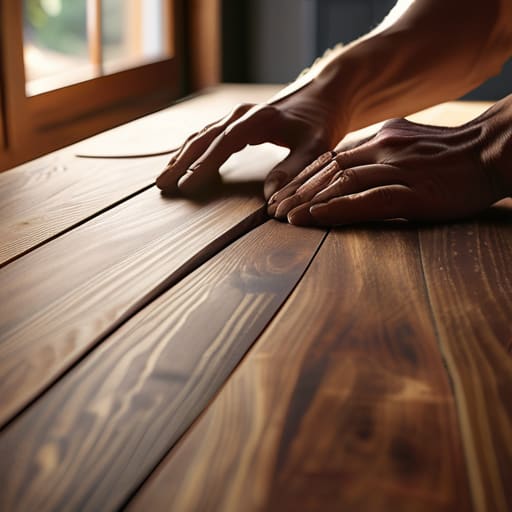
The "Sand and Stain" Refresh wood table.

If you find a solid wood table that looks like it’s seen better decades, don’t run the other way. Most of the “junk” people pass over is actually high-quality wood that’s just buried under layers of thick, orange-tinted polyurethane. My go-to move is to strip that old finish off and apply a modern stain—think muted oaks or deep walnuts—to bring it back to life. It’s a bit of a workout, but the result is a piece that looks like it cost a fortune at a boutique showroom.

Contact Paper Magic

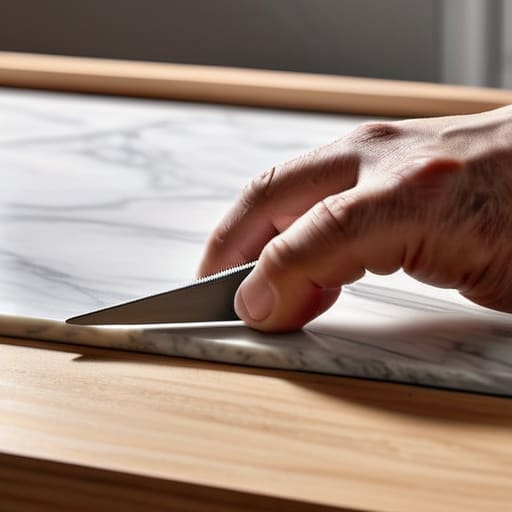
Marble textured Contact Paper Magic on shelves.

Let’s be real: sometimes you don’t have the energy (or the budget) for a full-blown DIY project. This is where contact paper becomes your best friend, especially for things like bookshelves or the inside of drawer linings. Instead of buying a whole new unit, you can use a high-quality, textured contact paper to mimic marble or wood grain on flat surfaces. It’s a temporary fix that looks surprisingly high-end if you do it carefully.

The Paint and Texture Combo

If you’re dealing with a piece that has a weird shape or some structural imperfections, sometimes you just need to cover it up with a fresh coat of paint. But don’t just grab a random can of semi-gloss from the hardware store and call it a day. I love using chalk paint because it adheres to almost anything with minimal prep, which is a lifesaver when you’re trying to be efficient. It gives you that soft, matte finish that feels very current and intentional.

Leg Upgrades for Instant Height

One of my favorite ways to transform a heavy, clunky cabinet is to give it some breathing room by changing the legs. A lot of older, heavy furniture sits directly on the floor, which can make a small room feel cramped and cluttered. By adding tapered wooden legs or even some sleek metal hairpins, you lift the piece off the ground and create a sense of lightness. It’s a total game-changer for the visual weight of your room.

The Bottom Line

Don’t let perfectionism stall your progress; a slightly imperfect DIY piece is better than a landfill full of wasted potential.

Focus on the foundation first—investing a little time in sanding or cleaning an old piece saves you from a massive headache once you start painting.

View upcycling as a way to build a custom home on a budget rather than a high-stakes art project.

Don't Overthink the Process

At the end of the day, upcycling isn’t about achieving some Pinterest-perfect, untouched aesthetic that looks like it belongs in a showroom. Whether you’re just slapping some new hardware on a tired nightstand, giving a thrifted chair a much-needed sanding and stain, or completely transforming a piece with a bold coat of paint, the goal is simply to stop the cycle of mindless consumption. We’ve covered everything from the quick wins like swapping out handles to the more intensive projects like structural refinishing, and the common thread is that none of these require a professional workshop. You just need a basic toolkit, a little bit of patience, and the willingness to get a little dusty.

I know it can feel intimidating to take a tool in your hand for the first time, especially when you’re worried about ruining something that’s already old. But honestly? The stakes are much lower than they feel. If you mess up a paint job, you just sand it back down and try again. The real magic happens when you stop seeing “old junk” and start seeing potential energy waiting to be unlocked. Adulthood is messy enough as it is; don’t let the fear of a mistake stop you from creating a home that actually feels like yours. Just pick one small project this weekend and see how much better it feels to build something rather than just buying it.

Frequently Asked Questions

Is it actually worth the time to sand down old finishes, or is there a faster way to get a decent result?

Honestly? If you’re looking for perfection, you have to sand. But if you’re just trying to avoid a total meltdown, skip the heavy sanding. I usually go for a chemical stripper or a high-quality primer designed to stick to slick surfaces. It’s a bit more “messy” in terms of smell, but it saves my wrists from hours of repetitive scrubbing. It’s all about choosing the shortcut that actually works without ruining the piece.

What kind of basic toolkit should I actually invest in so I'm not running to the hardware store every five minutes?

Look, you don’t need a garage full of power tools to start. Honestly, just grab a solid multi-bit screwdriver, a 16oz hammer, a tape measure that actually stays retracted, and a set of Allen keys. Throw in some precision screwdrivers for your tech and a pair of needle-nose pliers, and you’re golden. I keep mine in a small, organized pouch so I can grab it and go without the “where did I put that wrench?” panic.

How do I know if a piece of furniture is "good bones" or if it's just a total lost cause that isn't worth the effort?

Honestly, I used to waste so much time on projects that ended up in a landfill. Here’s my rule of thumb: check the weight and the joinery. If it’s heavy, solid wood (not particle board or MDF), it’s worth it. Open a drawer and look for dovetail joints—that’s the gold standard. If it feels sturdy and the structure isn’t wobbling or cracked, it has “good bones.” If it’s hollow or crumbling? Walk away.

Page 2 of 2

Powered by WordPress & Theme by Anders Norén