
I’m so tired of seeing those “aesthetic” desk setups on TikTok—you know, the ones with the $300 ergonomic chairs, three different monitors, and a perfectly curated succulent collection that somehow makes working from home look like a spa day. Let’s be real: most of those influencers are selling a fantasy, not a workflow. When you’re actually trying to hit a deadline while your neighbor is mowing their lawn and your laundry is staring you down from the corner, you don’t need a lifestyle overhaul; you just need some actual, functional remote work tips that don’t require a massive budget or a degree in interior design.
I’m not here to give you a lecture on “optimizing your professional output” or some other corporate nonsense. Instead, I want to share the unpolished systems I’ve built as a freelancer to keep my brain from melting by 2:00 PM. We’re going to talk about the small, repeatable habits that actually reduce the friction of your day—things like managing your digital clutter and setting boundaries that actually stick. My goal is to help you stop feeling like you’re constantly in a state of work-from-home emergency and finally get your life back on track.
Table of Contents
- Stop the Chaos Realistic Remote Work Tips for Actual Sanity
- Ditch the Clutter With High Functioning Home Office Setup Ideas
- Unpolished Remote Work Productivity Hacks That Actually Stick
- How to Master Managing Remote Team Communication Without the Noise
- Real Systems for Remote Work Burnout Prevention and Balance
- The "low-friction" toolkit for your workday
- The bottom line: making it work for you
- Final Thoughts on Making It Work
- Frequently Asked Questions
Stop the Chaos Realistic Remote Work Tips for Actual Sanity

First off, let’s talk about your physical space. I used to think I could work from my bed or the couch, but that was a massive mistake. When your workspace is also where you sleep or binge-watch Netflix, your brain never actually enters “work mode,” and you never truly exit it. You don’t need a massive, expensive studio to make this work; just some simple home office setup ideas like a dedicated desk and a decent chair can change everything. Even if it’s just a specific corner of the dining table, having a designated “zone” helps signal to your brain that it’s time to focus.
Beyond the desk, you have to be aggressive about setting boundaries. Without a commute to act as a buffer, the lines between “employee” and “human being” get incredibly blurry. I’ve had to learn the hard way that if I don’t intentionally close my laptop and walk away, I’ll just keep scrolling through emails until 9 PM. Prioritizing remote work burnout prevention isn’t just a luxury; it’s a survival tactic. Set a hard stop time, put your phone in another room, and actually live your life once the clock hits five.
Ditch the Clutter With High Functioning Home Office Setup Ideas
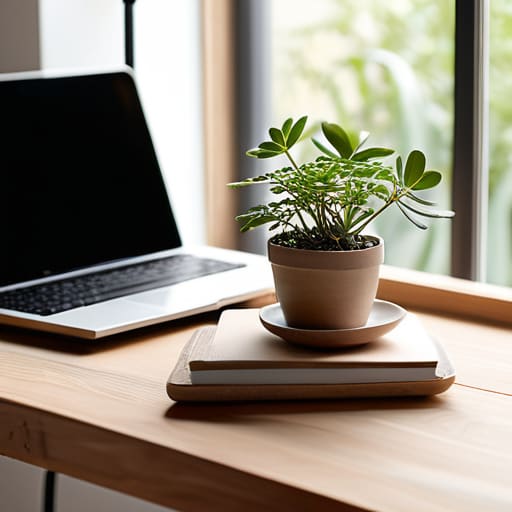
Look, I’m a firm believer that your environment dictates your headspace. If your desk is a graveyard of half-empty coffee mugs and tangled charging cables, your brain is going to feel just as messy. I used to think I could just “power through” the clutter, but it turns out that visual noise is a massive drain on your focus. One of my favorite home office setup ideas is the “one-in, one-out” rule for my desktop: if I bring a new notebook or gadget into my workspace, something else has to be tucked away in a drawer.
To really level up, you need to prioritize ergonomics over aesthetics, even if it means sacrificing that perfectly curated Instagram look. Invest in a decent monitor riser or even just a stack of sturdy books to get your screen at eye level. It’s a small tweak, but it’s a total game-changer for remote work burnout prevention because it stops that mid-afternoon neck ache from ruining your flow. Keep your essential tools—like my trusty multi-tool and a dedicated power bank—within arm’s reach, but keep everything else out of sight.
Unpolished Remote Work Productivity Hacks That Actually Stick

Let’s be real: most productivity advice feels like it was written by someone who has never actually sat on a couch trying to answer emails in sweatpants. I’ve tried the rigid “hustle culture” schedules, and they always fail by Tuesday. Instead, I’ve leaned into remote work burnout prevention by using a “low-stakes” approach to my task list. Rather than a massive, intimidating to-do list, I pick three non-negotiables for the day. If I hit those, I’m done. It stops that constant, low-grade anxiety that you should always be doing more.
Another thing that actually changed the game for me was setting physical boundaries for my brain. Since I don’t have a commute to signal the end of the day, I started a “shutdown ritual.” This might be as simple as closing every single tab on my laptop or putting my work charger in a drawer. It sounds small, but it’s a vital part of maintaining work-life balance for remote employees because it tells my brain, “Hey, we aren’t on the clock anymore.” It’s about creating those tiny, repeatable systems that keep the job from bleeding into your actual life.
How to Master Managing Remote Team Communication Without the Noise
The biggest trap with remote work is the feeling that you have to be “on” every single second just to prove you’re actually working. If your Slack notifications are pinging every thirty seconds, you aren’t being productive—you’re just being interrupted. I’ve learned that managing remote team communication isn’t about more meetings; it’s about setting boundaries on how we use our tools. If it isn’t an emergency, it probably doesn’t need a direct message right this second.
I’m a huge advocate for “asynchronous-first” communication. Instead of jumping into a frantic Zoom call every time a question pops up, try documenting your thoughts in a shared doc or a project management tool. This gives everyone space to breathe and actually process information before responding. It’s one of those small remote work productivity hacks that prevents that constant, low-grade anxiety of feeling like you’re falling behind a live chat thread. By creating these intentional pauses, you aren’t just getting more done; you’re actively practicing remote work burnout prevention by reclaiming your focus.
Real Systems for Remote Work Burnout Prevention and Balance
The biggest lie we’re told about working from home is that it’s all pajamas and zero stress. In reality, without a physical commute to act as a buffer, the lines between “living” and “working” don’t just blur—they completely disappear. I used to find myself answering Slack messages at 9 PM just because my laptop was sitting right there on the coffee table. To fix this, I had to implement actual remote work burnout prevention systems rather than just “trying harder” to relax. One thing that changed everything for me was a hard digital sunset; at a specific time, the laptop goes into a drawer, and the notifications stay silenced.
It’s not about being a productivity robot; it’s about protecting your energy so you don’t end up hating your job by Tuesday. You need to create psychological boundaries that mimic a commute. Even if it’s just a ten-minute walk around the block or making a specific cup of tea to signal the end of the day, these small rituals are essential for maintaining work-life balance for remote employees. If you don’t intentionally close the office, the office will never leave you.
The "low-friction" toolkit for your workday
- Stop relying on your brain to remember everything; if it’s not in a digital task manager or a physical notebook, it doesn’t exist. I stopped trying to “remember” my to-do list months ago, and my anxiety levels dropped instantly.
- Create a “shutdown ritual” to signal to your brain that the workday is over. Whether it’s closing all your tabs, tidying your desk, or just physically walking away from your laptop, you need a hard boundary so you don’t end up doom-scrolling work emails at 9 PM.
- Use the “one-touch” rule for small tasks. If an email or a Slack message takes less than two minutes to handle, do it immediately instead of letting it sit in your inbox and cluttering your mental space.
- Batch your deep work. I try to block out specific chunks of time where my notifications are completely muted. Constant pings are the fastest way to kill your momentum and make a two-hour task take all afternoon.
- Dress for the vibe, not the Zoom call. You don’t need a blazer, but getting out of your pajamas and into actual clothes helps shift your mindset from “resting” to “working,” which makes it way easier to actually focus.
The bottom line: making it work for you
Stop trying to replicate a 9-to-5 office vibe; instead, build custom systems that work with your actual energy levels and lifestyle.
Your physical space and your digital boundaries are your best defense against the feeling that you’re “always on.”
Forget perfectionism—focus on small, repeatable habits that keep your workflow steady without turning your home into a high-stress zone.
Final Thoughts on Making It Work
Look, we’ve covered a lot of ground here, from fixing your physical workspace to actually protecting your mental bandwidth. The reality is that remote work isn’t about finding one magical app or a perfect standing desk; it’s about the small, unglamorous systems you put in place every single day. Whether you’re refining your communication style to cut through the Slack noise or setting hard boundaries so your living room doesn’t feel like a permanent office, the goal is the same: reducing friction. If you can master your environment and your schedule, you stop reacting to your job and start actually managing it.
At the end of the day, don’t feel like you have to implement every single one of these hacks by Monday morning. Adulthood is already heavy enough without trying to build a perfect, Pinterest-worthy lifestyle overnight. Just pick one thing—maybe it’s clearing your desk at 5 PM or turning off notifications during lunch—and see how it feels. Systems are meant to serve you, not become another chore on your to-do list. You’ve got this, and I promise that once you start building these small habits, the chaos will slowly start to feel a lot more like control.
Frequently Asked Questions
How do I actually separate my "work brain" from my "home brain" when my desk is literally five feet from my bed?
Honestly, when your office is basically your bedroom, you have to create “sensory boundaries” since you don’t have a commute to reset. I use a specific desk lamp that stays on only during work hours; when it’s off, my brain knows the shift is over. I also swap my “work” headphones for something else the second I clock out. If you can’t move the desk, change the vibe. Trigger the shift through ritual.
What do I do when my manager expects me to be online 24/7 just because they can see my Slack status?
Look, the “green dot anxiety” is real, but you can’t let a Slack status dictate your nervous system. First, stop apologizing for being away. Set clear, predictable boundaries in your status—like “Focus Mode until 2 PM” or “Offline for Lunch.” If they push, have a direct conversation: “I’ve noticed an expectation to respond instantly; I find I’m actually much more productive when I have dedicated deep-work blocks without notifications.” Protect your time like it’s your job.
I've tried all the productivity apps, but they just feel like more digital clutter—is there a way to stay organized without needing a complex tech stack?
Honestly, I get it. I used to spend more time “organizing” my Notion boards than actually doing my work. If an app feels like a chore, it’s not a tool—it’s just more digital noise. Try going analog for a bit. A single physical notebook or even just a stack of post-its for your top three daily tasks can be way more effective. If you can’t see it or touch it, it’s easy to ignore. Keep it tactile, keep it simple, and stop overcomplicating your brain.
