
Ever feel like your brain is just a browser with fifty tabs open, and half of them are frozen? I used to think mind mapping was just some high-level corporate jargon designed to make productivity gurus feel important, or something you’d only see in a color-coded aesthetic video on TikTok. I spent way too many hours staring at a blank Google Doc, feeling that specific type of paralysis where you know you have ideas, but they’re all tangled up in a messy knot in your head. It’s not that you lack creativity; it’s just that your thoughts don’t move in straight, boring lines, and trying to force them into a standard list is total friction.
I’m not here to sell you on some expensive, over-engineered software that takes three weeks to learn. Instead, I want to show you how to use mind mapping as a low-tech, high-impact system to actually get your chaos out of your skull and onto paper. I’m going to walk you through the unpolished, no-nonsense way I use this to plan content sprints and organize my life without the gatekeeping. We’re stripping away the complexity and focusing on the one thing that actually matters: making your brain feel manageable again.
Table of Contents
- Ditch the Brain Fog Why Mind Mapping Actually Works
- Unlocking Cognitive Mapping Benefits to Stop the Mental Chaos
- Mastering Visual Thinking Techniques for Real World Results
- The Radiant Thinking Method for Organizing Complex Information
- Choosing Mind Map Software Tools That Wont Waste Your Time
- 5 Low-Friction Ways to Actually Use Mind Mapping Without It Becoming a Chore
- The TL;DR on Mind Mapping
- Final Thoughts: From Chaos to Clarity
- Frequently Asked Questions
Ditch the Brain Fog Why Mind Mapping Actually Works
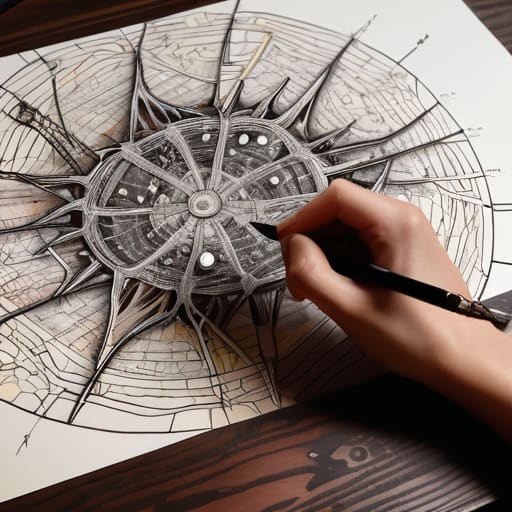
The reason most of us struggle with productivity isn’t a lack of willpower; it’s that our brains aren’t built to store massive, sprawling data sets in a linear way. When I try to write a project plan using just a standard bulleted list, I can literally feel my focus fracturing. That’s where visual thinking techniques come in to save the day. Instead of forcing your thoughts into a rigid, top-down hierarchy that feels unnatural, this approach lets you mimic how your neurons actually fire—connecting ideas through association rather than just sequence.
By using the radiant thinking method, you’re essentially giving your ideas room to breathe. You start with one central concept and let the branches grow organically, which is a game-changer for creative problem solving. It stops that frantic feeling of “wait, what was I saying?” because you can see the entire landscape of your project at a single glance. It’s not about making something pretty for a Pinterest board; it’s about organizing complex information so your brain can actually stop looping on the same three problems and start finding the actual solutions.
Unlocking Cognitive Mapping Benefits to Stop the Mental Chaos

The real magic happens when you stop treating your thoughts like a linear grocery list and start treating them like a web. Most of us were taught to think in straight lines—top to bottom, left to right—but our brains don’t actually work that way. By using visual thinking techniques, you’re essentially giving your thoughts a playground. Instead of forcing a messy idea into a rigid outline, you let it branch out naturally. This is the core of the radiant thinking method, where one central concept sprouts sub-ideas, which then sprout even more specific details. It feels less like “work” and more like tracing the connections that were already there in your head.
When you’re stuck on a project or a massive life decision, this approach becomes your best tool for creative problem solving. It’s about seeing the “big picture” and the tiny, granular details at the exact same time. When you start organizing complex information this way, you aren’t just making a pretty diagram; you’re actually offloading the heavy lifting from your working memory. Once the chaos is mapped out in front of you, the path forward usually becomes a lot more obvious.
Mastering Visual Thinking Techniques for Real World Results

The trick to making this actually useful isn’t about drawing perfect little icons or being some kind of artist; it’s about using visual thinking techniques to bridge the gap between a messy thought and an actionable plan. When I’m staring down a massive project, I start with the core idea in the center and use the radiant thinking method to branch out. Instead of writing long, heavy sentences that your brain will immediately ignore, I use single words or short phrases. This keeps the energy moving and prevents you from getting bogged down in the weeds before you’ve even mapped the landscape.
If you’re a digital native, don’t feel guilty about skipping the paper and pen. There are some incredible mind map software tools out there that let you drag, drop, and reorganize your ideas as fast as you can think them. I usually toggle between a messy notebook for initial brainstorming and a clean digital layout for organizing complex information once I’m ready to execute. The goal isn’t to create a masterpiece; it’s to build a visual scaffold that supports your brain instead of fighting against it.
The Radiant Thinking Method for Organizing Complex Information
When you’re staring at a massive project or a chaotic set of notes, your brain tends to default to a linear, list-based approach. But let’s be real: life rarely happens in a straight line. This is where the radiant thinking method becomes a total game-changer. Instead of forcing your ideas into a rigid, top-down hierarchy that feels suffocating, you start with one central concept and let ideas explode outward like a starburst. It mimics the way our neurons actually fire, allowing you to connect a random thought about a deadline to a creative solution you had while making coffee.
By leaning into these visual thinking techniques, you aren’t just making a pretty diagram; you are actually organizing complex information in a way that your subconscious can navigate. It’s about seeing the connective tissue between disparate ideas. Whether you’re sketching it out in a notebook or using various mind map software tools to keep things digital, the goal is the same: to stop treating your thoughts like a grocery list and start treating them like a web of possibilities.
Choosing Mind Map Software Tools That Wont Waste Your Time
Look, I’ve spent way too many hours downloading “productivity” apps only to realize they’re just more digital clutter. When you’re looking for mind map software tools, the biggest trap is choosing something so feature-heavy that you spend more time customizing the UI than actually doing the work. If you’re trying to use these for creative problem solving, you need a tool that stays out of your way. You want something that lets you dump ideas instantly without forcing you to navigate a dozen sub-menus just to change a line color.
My rule of thumb? If the learning curve feels like a chore, ditch it. For simple, quick sessions, a basic digital whiteboard is usually plenty. But if you’re deep in the weeds of organizing complex information—like planning a massive freelance project or mapping out a brand strategy—you might want something with more robust nesting capabilities. The goal isn’t to have the prettiest diagram on your hard drive; it’s to find a medium that supports your flow rather than interrupting it. Keep it lightweight, keep it intuitive, and don’t let the tool become the task.
5 Low-Friction Ways to Actually Use Mind Mapping Without It Becoming a Chore
- Stop aiming for perfection right out of the gate. Your first map should look like a chaotic mess of scribbles and half-formed thoughts; if it’s too pretty, you’re spending more time decorating than actually thinking, and that’s just a distraction.
- Use “trigger words” instead of full sentences. If you write out entire paragraphs inside your bubbles, you’re just recreating a traditional outline but with more circles, which defeats the whole purpose of visual speed. Keep it to one or two words so your brain can scan it instantly.
- Color-code by energy, not just by topic. I like to use one color for “immediate action items” and another for “vague ideas for later.” It helps me look at a massive, overwhelming map and immediately see which parts I actually need to tackle today.
- Don’t be afraid to go analog first. Sometimes the friction of opening a laptop and navigating software is enough to kill a good idea. Keep a cheap notebook and a pen nearby so you can dump the chaos out of your head before you try to formalize it digitally.
- Always include a “Parking Lot” branch. When you’re mind mapping a specific project and a random, unrelated thought pops into your head, don’t let it derail you. Toss it into a dedicated “Parking Lot” branch on the edge of the map and get back to the task at hand.
The TL;DR on Mind Mapping
Stop trying to force linear lists onto non-linear thoughts; use mind maps to mirror how your brain actually works so you aren’t fighting your own biology.
Don’t get paralyzed by the “perfect” setup—whether it’s a messy notebook or a sleek app, the goal is getting the chaos out of your head and onto a surface where you can actually see it.
Treat your mind maps as living systems, not one-off chores; revisit and refine them as your projects evolve to keep that mental friction as low as possible.
Final Thoughts: From Chaos to Clarity
At the end of the day, mind mapping isn’t about creating a perfect piece of art or following some rigid, academic framework. It’s about building a bridge between the messy, non-linear way your brain actually functions and the structured world we have to live in. We’ve looked at how to ditch the brain fog, how to pick tools that don’t suck, and how to use radiant thinking to untangle your most complex projects. Whether you’re sketching on a napkin or using a high-end digital tool, the goal is the same: getting the noise out of your head and onto a page so you can finally see the patterns that were hiding in the chaos all along.
Don’t feel like you have to master this overnight. Start small—maybe just map out your grocery list or your chaotic to-do list for Monday. The more you do it, the more you’ll realize that adulthood is a lot more manageable when you stop fighting your brain and start working with it. You don’t need a PhD in cognitive science to make your life run smoother; you just need a system that actually fits your reality. So, grab a pen, find a blank space, and just start mapping. You might be surprised at how much mental breathing room you actually create.
Frequently Asked Questions
Is it actually worth the time to draw these out by hand, or should I just stick to an app from the start?
Honestly, it depends on what you’re trying to do. If you’re just brainstorming a rough idea or trying to clear some mental fog, grab a pen and paper. There’s something about the tactile connection that helps ideas click faster. But, if you’re building a massive project map that you’ll need to edit or share with a client later, just go straight to an app. Don’t waste time re-typing everything manually.
How do I stop my mind maps from turning into a giant, unreadable mess of lines and scribbles?
Look, I’ve been there—staring at a digital spiderweb that looks more like a crime scene than a plan. The trick is to embrace hierarchy early. Don’t just branch out wildly; use color coding for different themes and keep your primary branches thick and your sub-notes thin. If it feels crowded, it’s because you’re trying to do too much at once. Break it into smaller, separate maps instead of one giant, suffocating monster.
Can I use mind mapping for something specific like meal planning or project management, or is it strictly for big-picture brainstorming?
Honestly, if you’re only using mind maps for big-picture brainstorming, you’re barely scratching the surface. I use them for everything. For meal planning, I’ll map out a “base” protein and then branch out into different cuisines so I’m not staring blankly at the fridge on Tuesday night. For projects, it’s how I break a scary deadline into tiny, manageable tasks. It’s not just for ideas; it’s for organizing the actual logistics of your life.