I remember sitting at my desk last Tuesday, mid-freelance sprint, when I got that specific, sinking feeling in my gut—the kind you get when you realize you’ve left the stove on, but for your entire digital life. It wasn’t a dramatic hacker movie moment; it was just a weird, unsolicited notification that felt slightly off. Most people think you need a degree in cybersecurity or a thousand-dollar subscription service to stay safe, but honestly, that’s just gatekeeping. Learning how to spot a data breach isn’t about mastering complex code; it’s about developing a bit of digital intuition and knowing which red flags actually matter before your bank account starts looking like a crime scene.
I’m not here to sell you on some overpriced security software or drown you in tech jargon that makes your head spin. Instead, I’m going to give you the unpolished, real-world steps I use to keep my own data locked down without losing my mind. We’re going to strip away the hype and focus on the actual, repeatable systems that help you catch a breach before it turns into a total nightmare.
Table of Contents
- Stop Panicking and Start Checking How to Spot a Data Breach
- Red Flags to Watch for Spotting Unauthorized Account Activity
- The Unpolished Guide to Identifying Common Cybersecurity Warning Signs
- How to Check if My Email Was Leaked Without the Stress
- Real Systems for Compromised Credentials Detection and Protecting Yourself
- My low-effort checklist for staying ahead of the chaos
- The quick cheat sheet: what to do next
- The bottom line
- Frequently Asked Questions
Stop Panicking and Start Checking How to Spot a Data Breach
First things first: don’t spiral. Most people think a breach looks like a hacker in a hoodie typing furiously in a dark room, but in reality, it’s usually much more subtle. You’re looking for unauthorized account activity—the stuff that feels just slightly “off.” Maybe you get a notification for a login from a city you’ve never visited, or you notice a weird $1.00 charge on your bank statement that you can’t account for. These are often the first cybersecurity warning signs that someone else is playing around with your digital life.
If things feel quiet, that doesn’t mean you’re safe; it just means you haven’t caught it yet. A great way to get ahead of the curve is to actually see what’s out there. If you’re wondering how to check if my email was leaked, I always recommend using a tool like Have I Been Pwned. It’s a simple, no-nonsense way to see if your data is floating around in a recent leak. If your info shows up, don’t panic—just treat it as a signal to update your passwords and enable 2FA immediately.
Red Flags to Watch for Spotting Unauthorized Account Activity
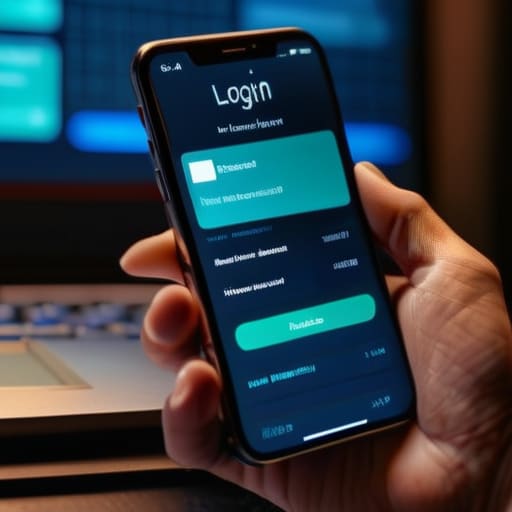
The first thing I always tell people is to look for the “weirdness” in your digital footprint. If you suddenly get a notification about a login from a city you’ve never visited, or if you see a weirdly specific transaction for $1.42 at a random gas station, don’t just swipe it away. These are classic signs of identity theft that people often ignore because they’re too busy to deal with the headache. It’s usually much easier to catch these tiny glitches early than to try and untangle a massive mess later.
Keep a close eye on your inbox for those “password reset” emails you definitely didn’t request. That is a massive red flag for compromised credentials detection—it basically means someone is knocking on your digital door trying to find a way in. If you’re feeling proactive, I’d suggest setting up some basic dark web monitoring services to do the heavy lifting for you. It’s one of those small, automated systems that saves you a massive amount of stress down the road.
The Unpolished Guide to Identifying Common Cybersecurity Warning Signs
Look, I’m not a cybersecurity expert, but I’ve learned that most breaches don’t start with a Hollywood-style hacking montage; they start with small, weird glitches. One of the biggest cybersecurity warning signs is getting those “new login detected” emails from services you haven’t touched in months. If you see a login from a city you’ve never visited or a device that isn’t yours, don’t just swipe the notification away. That’s often the first real indicator of compromised credentials detection needing your immediate attention.
Another thing I do to stay ahead is checking if my digital footprint has already been exposed. If you’re wondering how to check if my email was leaked, I highly recommend using a tool like Have I Been Pwned. It’s a quick way to see if your data is floating around in a recent dump. If you find your info is out there, it’s a massive red flag for potential signs of identity theft. Instead of spiraling, just treat it like a leaky faucet: identify the source, change your passwords, and tighten up your security settings before it becomes a much bigger mess.
How to Check if My Email Was Leaked Without the Stress
Look, I get it. The idea of your private info floating around some shady corner of the internet is genuinely stressful. But instead of spiraling, let’s just get some actual answers. The easiest way to figure out how to check if my email was leaked is to use a tool like Have I Been Pwned. It’s basically the industry standard—you just plug in your email address, and it tells you exactly which data breaches your info was caught in. It’s not scary; it’s just data.
If you want to be a bit more proactive, you might want to look into dark web monitoring services. Most decent password managers actually have this built-in now. They’ll ping your phone the second your credentials show up in a new leak, which is way better than finding out via a locked credit card. It’s all about catching those compromised credentials before they actually turn into a headache. Think of it like setting a smoke detector for your digital life—it’s much easier to deal with a little beep than a full-blown house fire.
Real Systems for Compromised Credentials Detection and Protecting Yourself
Once you’ve confirmed that something is actually wrong, you need to move from “panic mode” into “system mode.” This isn’t about being a tech genius; it’s about setting up automated guardrails so you aren’t manually checking every single login attempt. I’m a huge advocate for using dark web monitoring services—most reputable password managers or even some credit card apps include this now. They essentially do the heavy lifting for you by scanning for your leaked info in the background, so you don’t have to spend your Sunday morning wondering if your data is floating around a shady forum.
Beyond just monitoring, you need a proactive defense strategy to stop unauthorized account activity before it scales. This means moving away from those predictable security questions (please, don’t use your first pet’s name) and leaning heavily into hardware security keys or authenticator apps. If you see one weird login attempt, treat it as a symptom of a larger issue. Establishing these small, repeatable habits for protecting personal information online is the only way to make sure a single leaked password doesn’t turn into a full-blown identity crisis.
My low-effort checklist for staying ahead of the chaos
- Set up “Login Alerts” on every single important account you own; getting a push notification the second someone tries to access your Gmail is way better than finding out three weeks later when your password doesn’t work.
- Use a password manager to do the heavy lifting, because trying to remember unique, complex strings for fifty different sites is a recipe for disaster and inevitable reuse.
- Audit your “Logged In Devices” list once a month—if you see a random Linux machine or a device from a city you’ve never visited, just kill the session immediately.
- Watch your bank statements like a hawk for those tiny, weird “test” charges—hackers often run a $0.50 or $1.00 transaction to see if a card is active before they go for the big stuff.
- Enable hardware-based 2FA (like a YubiKey) or an authenticator app instead of relying on SMS codes, because SIM swapping is a real thing and it’s way too easy for people to bypass text-based security.
The quick cheat sheet: what to do next
Don’t wait for a notification to act; set up your password manager and two-factor authentication (2FA) now so you’re already protected before the next leak happens.
Treat your email like your digital home base—if you see a suspicious login or a weird verification code, change that password immediately and check your connected devices.
Make security a low-effort habit by using tools like Have I Been Pwned or your browser’s built-in security checks once a month, rather than waiting for a crisis to force your hand.
The bottom line
Look, spotting a breach isn’t about being a tech genius or having a degree in cybersecurity; it’s really just about paying attention to the small stuff. We’ve covered how to track those weird login notifications, how to use tools like Have I Been Pwned to check your email status, and why setting up simple, automated alerts is the ultimate way to reduce friction in your digital life. If you can manage a weekly meal prep or keep track of your freelance invoices, you can absolutely manage these few security checks. The goal isn’t to live in a state of constant paranoia, but to build a system of defense that works in the background so you don’t have to think about it every single day.
At the end of the day, I want you to stop feeling like your digital footprint is this massive, unmanageable mess waiting to explode. Adulthood is heavy enough without having to worry if your identity is being traded on some dark web forum. By taking these small, intentional steps now, you’re essentially buying yourself peace of mind for the future. You don’t need to be perfect, and you definitely don’t need to do everything at once. Just pick one thing—maybe it’s updating a password or turning on 2FA—and start there. You’ve got this, and your future, less-stressed self will definitely thank you.
Frequently Asked Questions
If I find out my info was leaked on a site like Have I Been Pwned, does that mean my accounts are already hacked or just at risk?
It’s a huge distinction, and honestly, it’s the one that causes the most unnecessary panic. Finding your info on a site like Have I Been Pwned doesn’t mean you’ve been hacked—it just means your data is out there in the wild. Think of it like finding your house keys on the sidewalk; someone hasn’t walked into your living room yet, but the risk is definitely higher. It’s a signal to tighten your systems, not a sign of an active emergency.
How do I tell the difference between a legitimate security alert from a company and a phishing scam trying to trick me?
This is where things get tricky because scammers are getting scary good at mimicking real brands. My rule of thumb? Never, ever click the link in the email itself. If you get an “urgent” alert, close your inbox, open a fresh browser tab, and log in directly through the official website or app. If the issue is real, the notification will be waiting for you in your account dashboard. If not, it’s just noise.
Once I realize a breach has happened, what’s the very first thing I should do to stop the bleeding without losing my mind?
First, breathe. Panicking is how you make mistakes, and mistakes are what hackers count on. Your immediate move? Change your passwords—starting with your email and your banking apps. If you’re reusing the same password across multiple sites, you need to break that cycle right now using a password manager. Once the most critical gates are locked, check your recent transactions for anything weird. It’s all about stopping the bleed before the damage spreads.
