
I used to think that looking professional on screen meant spending a fortune on a ring light or a high-end DSLR setup that would probably just end up gathering dust in my closet. Honestly, the “tech guru” advice on how to look better on video calls is usually just a way to gatekeep looking put-together behind a paywall. I spent way too much time stressing over expensive gear, only to realize I still looked like a grainy, shadowy ghost in my own living room because I was sitting in a dark corner. It’s exhausting to feel like you need a film studio just to participate in a Tuesday morning sync.
I’m over the hype, and I know you are too. Instead of suggesting you go out and buy a whole new ecosystem of gadgets, I want to show you how to use what you actually have. I’ve spent months refining a few simple, repeatable systems to fix my lighting, framing, and background without breaking the bank. This isn’t about being perfect; it’s about reducing the friction of digital meetings so you can just show up, look like a human, and get back to your actual life.
Table of Contents
- Stop the Panic How to Look Better on Video Calls
- The Lighting Cheat Code a Professional Webcam Lighting Setup
- Fixing Your View Best Camera Angles for Remote Work
- Clearing the Chaos Minimizing Background Distractions Once and for All
- The Unpolished Guide to Improving Video Call Audio Quality
- The Final Polish: 5 Small Tweaks for a Better Presence
- The TL;DR: Your Video Call Cheat Sheet
- Stop Overthinking It and Just Start
- Frequently Asked Questions
Stop the Panic How to Look Better on Video Calls

First, let’s talk about the physical setup, because looking like a grainy shadow in a dark room is a bad look. You don’t need a studio-grade professional webcam lighting setup to fix this; honestly, just facing a window during the day does 90% of the heavy lifting. If you’re working at night, grab a cheap desk lamp and position it behind your monitor so the light hits your face directly rather than coming from above, which creates those weird, ghostly shadows under your eyes.
Next, stop the “laptop-on-the-couch” habit. When your camera is looking up your nose, it’s uncomfortable for everyone involved. I always stack a few thick textbooks under my laptop to get the lens at eye level—it’s one of the easiest ways to master the best camera angles for remote work without spending a dime. Finally, do a quick sweep of your space. You don’t need a minimalist showroom, but minimizing background distractions like a pile of laundry or a messy bed helps people focus on what you’re actually saying instead of your chores.
The Lighting Cheat Code a Professional Webcam Lighting Setup

Look, you don’t need to drop a paycheck on a studio ring light to stop looking like a grainy ghost in a basement. Most of the time, your struggle is just physics. If the main light source in your room is behind you, you’re basically just a dark silhouette, and frankly, it’s hard to build rapport when no one can see your face. The easiest fix? Face a window. Natural light is the ultimate hack for improving webcam resolution without buying a single piece of gear. If it’s nighttime, grab a desk lamp, pull it slightly in front of you, and aim it toward a wall or a white surface to bounce the light back. This softens the shadows so you don’t look like you’re auditioning for a noir film.
If you’re serious about a permanent professional webcam lighting setup, aim for a three-point approach but keep it low-maintenance. A small LED panel or even a cheap clip-on light can work wonders if it’s positioned at eye level. Whatever you do, avoid overhead ceiling lights—they create those weird, heavy shadows under your eyes that make you look like you haven’t slept since 2022. Just keep the light in front of you, and you’re halfway there.
Fixing Your View Best Camera Angles for Remote Work
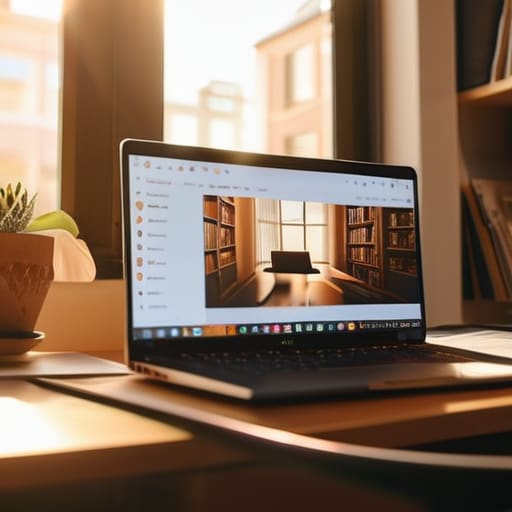
The biggest mistake I see people making is the “chin view.” If your laptop is sitting flat on your desk, you’re essentially giving everyone on the call a view looking straight up your nose. It’s awkward, it’s unflattering, and it’s definitely not the vibe you want for a client meeting. To find the best camera angles for remote work, you need to get that lens at eye level. Grab a couple of thick textbooks or a dedicated laptop stand to prop your device up. You want the camera to feel like it’s meeting you eye-to-eye, not looking up from your lap.
Once you’ve fixed the height, take a second to check your framing. You don’t need to be a cinematographer, but you should avoid having a massive amount of dead space above your head. Aim for a shot where your head and shoulders are centered, leaving just a little breathing room at the top. While you’re at it, try minimizing background distractions by tilting the camera slightly away from any messy laundry piles or open closet doors. A clean, intentional frame makes you look way more composed, even if you’re actually wearing pajama bottoms.
Clearing the Chaos Minimizing Background Distractions Once and for All
Once you’ve nailed the lighting and the angles, you have to deal with the literal mess behind you. I used to think a little bit of “lived-in” charm was fine, but there is a massive difference between a cozy bookshelf and a pile of laundry that’s been sitting on a chair for three days. If your background is a visual rollercoaster, people aren’t actually listening to your pitch; they’re wondering when you’re going to do your chores. Minimizing background distractions is less about having a Pinterest-perfect home and more about removing the visual noise that pulls focus away from you.
If you’re renting or stuck in a cramped studio, don’t sweat it. You don’t need a dedicated home office to look professional. A simple, clean wall or even a strategically placed room divider does the trick. If all else fails, lean on technology: use a high-quality blur effect or a subtle virtual background. Just a heads-up though—if you go the digital route, make sure you have a decent professional webcam lighting setup so your edges don’t look glitchy and weird. Keep it simple, keep it clean, and let your words do the heavy lifting.
The Unpolished Guide to Improving Video Call Audio Quality
Here’s the thing: you can have the most professional webcam lighting setup and the perfect camera angle, but if you sound like you’re broadcasting from inside a wind tunnel, no one is going to listen to a word you say. Bad audio is a massive energy drain for everyone on the call. It forces people to lean in, strain, and work twice as hard to process your sentences, which kills the flow of any productive meeting.
If you want to start improving video call audio quality without spending a fortune on studio gear, start with your environment. I’ve learned the hard way that a big, empty room with hard floors is an acoustic nightmare. If you can’t move to a carpeted space, even just throwing a rug down or sitting near a bookshelf can help dampen that annoying echo. Most importantly, stop using your laptop’s built-in mic if you can help it. Even a cheap pair of wired earbuds with a decent mic will beat your computer’s internal hardware every single time. It’s a tiny tweak that makes a massive difference in how you’re perceived.
The Final Polish: 5 Small Tweaks for a Better Presence
- Stop staring at your own face. It’s a total distraction and makes you look like you’re checking yourself out. Find a tiny post-it note, draw an arrow on it, and stick it right next to your camera lens. Train yourself to look at that arrow instead of your own thumbnail; it makes you look engaged and actually makes eye contact with everyone else.
- Ditch the overhead lights. If you have a bright light directly above your head, you’re going to end up with dark shadows under your eyes that make you look exhausted. Turn off the ceiling light and stick to a lamp at eye level or natural light from a window. It softens everything and makes you look way more human.
- Check your color palette before you hit ‘Join.’ If you’re wearing a shirt that’s the exact same color as your background, you’re basically going to look like a floating head. Pick a color that actually pops against your wall so there’s a clear distinction between you and the room.
- Fix your “resting face.” We’ve all been there—staring blankly at the screen while someone else talks, looking like we’re buffering. You don’t need a massive, fake grin, but just a slight lift in your expression or a small nod goes a long way in showing you’re actually present and not just zoning out.
- Master the “quick-fix” grooming kit. Keep a small kit near your desk—maybe some oil-blotting sheets or a decent moisturizer. If you realize halfway through a meeting that your forehead is looking a little too shiny under the ring light, a quick 10-second fix can save you from feeling self-conscious for the rest of the call.
The TL;DR: Your Video Call Cheat Sheet
Stop overthinking the tech; just face a window for light, prop your laptop on a stack of books to hit eye level, and make sure your mic isn’t muffled by a sweater.
Focus on the “friction points”—if your background is a mess or your lighting makes you look like a ghost, fix those first so you can actually focus on the meeting instead of your appearance.
Build a repeatable setup so you aren’t scrambling five minutes before a call; once you have your lighting and angle dialed in, it becomes a 30-second habit rather than a morning crisis.
Stop Overthinking It and Just Start
Look, we’ve covered a lot of ground here, and I know it might feel like a lot to manage before your next 9:00 AM. But if you strip everything back, it really just comes down to a few high-impact tweaks: get some decent light on your face, raise that laptop so you aren’t staring up your nose, and make sure your audio doesn’t sound like you’re underwater. You don’t need a studio-grade setup or a professional-grade background to look competent. Once you have these basic systems in place, you stop wasting mental energy worrying about how you appear and start focusing on the actual work you’re there to do.
At the end of the day, the goal isn’t to look like a polished influencer; it’s about removing the friction that makes you feel self-conscious. When you control your environment, you reclaim your confidence. You aren’t just “fixing your camera,” you’re building a sustainable way to show up as your best self without the constant low-level anxiety of a messy room or bad lighting. So, grab a lamp, fix your angle, and go kill it. You’ve got this.
Frequently Asked Questions
I don't have a fancy ring light or a studio setup—can I actually make this work with just my phone and whatever is in my living room?
Honestly, you don’t need a studio setup to look decent. I’ve done plenty of calls using nothing but a window and a stack of books. If you’re using your phone, just prop it up on a shelf or a pile of books at eye level—don’t let it peek up your nostrils. For light, just face a window during the day. If it’s dark, grab a desk lamp, take the shade off, and point it at the wall behind your screen to bounce soft light back onto your face. It’s low-tech, but it works.
What do I do if my internet connection is trash and makes my video look like a pixelated mess regardless of my lighting?
Look, if your bandwidth is trash, no amount of fancy lighting is going to save you from looking like a Minecraft character. When the connection dips, your computer prioritizes audio over video to keep you from dropping the call entirely. My hack? Turn off your camera for a few minutes to let the signal stabilize, or go into your settings and manually lower your video resolution. It’s better to be a slightly blurry human than a frozen, pixelated mess.
How do I stop looking like a total zombie when I'm stuck on back-to-back calls from 9 to 5?
Honestly, the “zombie look” is usually just a combination of dehydration and bad lighting. If you’re stuck in back-to-back meetings, keep a heavy moisturizer and some eye drops at your desk—it’s a total game changer for that tired, crusty skin vibe. Also, try to step away from the screen for even five minutes between calls. If you don’t reset your eyes and grab some water, you’re going to look drained by noon.
